



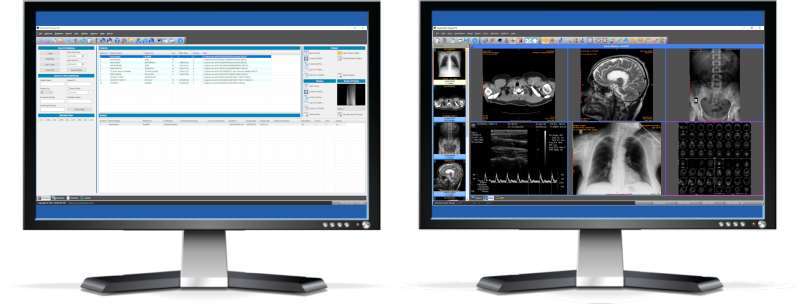
 Store, archive, manage, and view medical imagesSante Free PACS Server is a DICOM 3.0-compliant PACS server and an HTTP (web) server for DICOM files that offers high performance and reliability completely free of charge! It provides connectivity to all DICOM modalities (CT, MR, US, CR, NM, XA, MG, DX, etc.). The built-in web server can be used as a free cloud server for DICOM files!The perfect companion to a cloud solutionIf you have chosen a cloud-based solution for DICOM file archiving, Sante Free PACS Server can serve as an ideal companion. It can function as a local backup server for the entire archive, with web-based access, while retaining older studies locally when they do not need to be stored in the cloud. This approach can significantly reduce the monthly cost of the cloud solution.What is new in Version 2
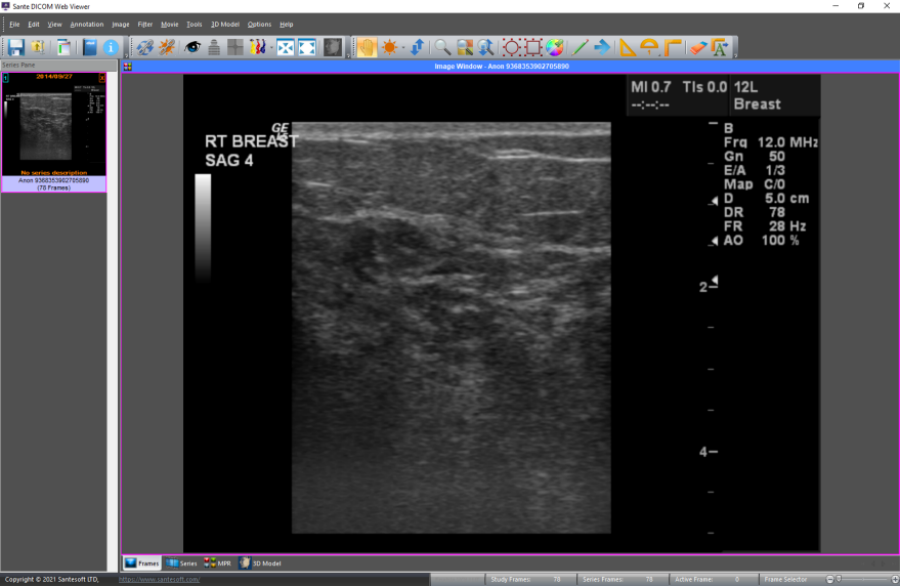
Program modulesSante Free PACS Server consists of three modules:The Database module The program uses the SQLite file-based server for database management and offers storage of unlimited number of patients/studies/series/images (it depends only on hard disk size). 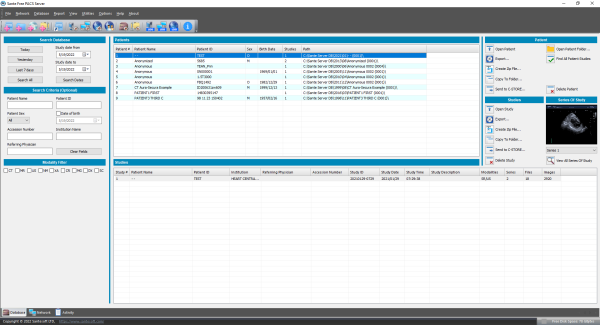 The DICOM Server module The built-in DICOM server supports all DICOM network services (C-FIND SCU/SCP, C-MOVE SCU/SCP, C-STORE SCU/SCP, C-GET SCU/SCP, C-ECHO SCU/SCP), and is compatible with all modalities (CT, MR, NM, US, XA, MG, CR, DX, etc.), all manufacturers, and all DICOM 3.0 and NEMA 2 file types. Moreover, it supports an unlimited number of connections, DICOM nodes, and DICOM clients.  The Web Server module The Web Server module lets remote users of the system to connect with it, query and retrieve studies that have been stored in the database of the DICOM Server. The Web Server module, for these connections, uses the HTTP ot HTTPS protocol of the internet and the remote user must use a web browser like Edge, Chrome or Mozilla to query and retrieve studies. The web server supports SSL secure connections. This module lets the user connect, query, retrieve and review DICOM studies stored in the system from anywhere in the world and it can be used as a free cloud server!  From the system’s home page, remote users can download and install two free applications for use with this web server: Sante Web Downloader and Sante DICOM Web Viewer. Sante Web Downloader lets the user inspect the downloading procedure. In the end of receiving Sante Web Downloader saves the received studies in a zip file. The user can configure Sante Web Downloader to open the saved zip file with a DICOM Viewer of their choice, such as Sante DICOM Viewer Pro or Sante DICOM Editor. The DICOM Viewer must support opening zip files from command line. For more information, please read the Sante Web Downloader User Guide. This application is useful when a user wishes to use a DICOM Viewer other than Sante DICOM Web Viewer. Sante DICOM Web Viewer lets the user inspect the downloading procedure as Sante Web Downloader does, but it is also a high quality, full-featured, completely free 2D/3D DICOM Viewer, with all the necessary tools like measurements, roi statistics, MPR and study/series comparison. It allows the user to work smoothly in a multi-modality, multi-manufacturer environment because it has all the features of Sante DICOM Viewer Pro and Sante DICOM Viewer 3D Pro except the post-processing functions like anonymizing (de-identification).
Cloud supportThe program can export compressed studies to Cloud shared drives like OneDrive, DropBox, Google Drive, etc., with a DICOM viewer (Sante DICOM Viewer Lite or any other viewer of user choice).
Migration toolThe built-in Migration tool simplifies the process of migrating from an old PACS system to Sante Free PACS Server. It is an external program and works independently from Sante Free PACS Server without burden it with unnecessary load. It can be used not only for migration tasks, but it is useful to insert into database any folder with DICOM files any time, e.g. from a USB memory stick or from an external hard disk drive. Download the application Download the applicationDifferences from Sante PACS Server and Sante PACS Server PGThe commercial versions of the server include features that are not available in the free version, such as:
For a powerful, full-featured viewer that supports among others burning of DICOM CD/DVD discs and printing on DICOM printers the user can use Sante DICOM Viewer Pro, Sante DICOM Editor or Sante DICOM Viewer Mac. Minimum Requirements
The optimal server configuration depends on its workload. Download the application |



Download
Download the applicationUser Guides
The migration procedure
Program Configuration
The built-in HTTP (Web) Server
Similar Programs

Sante PACS Server PG is a DICOM 3.0-compliant PACS server, a Modality Worklist server, an HTTP (web) server
for DICOM files and a CD/DVD Burning and Printing server that offers high performance and reliability at an affordable price.

Sante PACS Server has all the features of Sante PACS Server PG but it uses a lighter database engine (SQLite database).
Learn more...
Learn more...
Complementary Programs

Sante DICOM Viewer Pro is a powerful viewer, anonymizer, converter and PACS client for DICOM files of
all modalities and manufacturers.
Learn more...
Learn more...

Sante DICOM Editor has all the features of Sante DICOM Viewer Pro plus a built-in DICOM editor, a dicomizer (video and image to
DICOM converter), and a DICOM batch processor.
Learn more...
Learn more...

Sante DICOM Viewer Mac is a full-featured viewer, editor, converter, dicomizer, anonymizer, and PACS client for macOS systems.
It can be used as a mini PACS server as well.
Learn more...
Learn more...
 Participate
Copyright © 2026 Santesoft LTD. All rights reserved.